
Product / 01
TURYA Clarinth
PDF editor and document workspace
Work with the document as a whole, with focused tools for the changes professional work demands.

Natural document work
Work with the page in front of you.
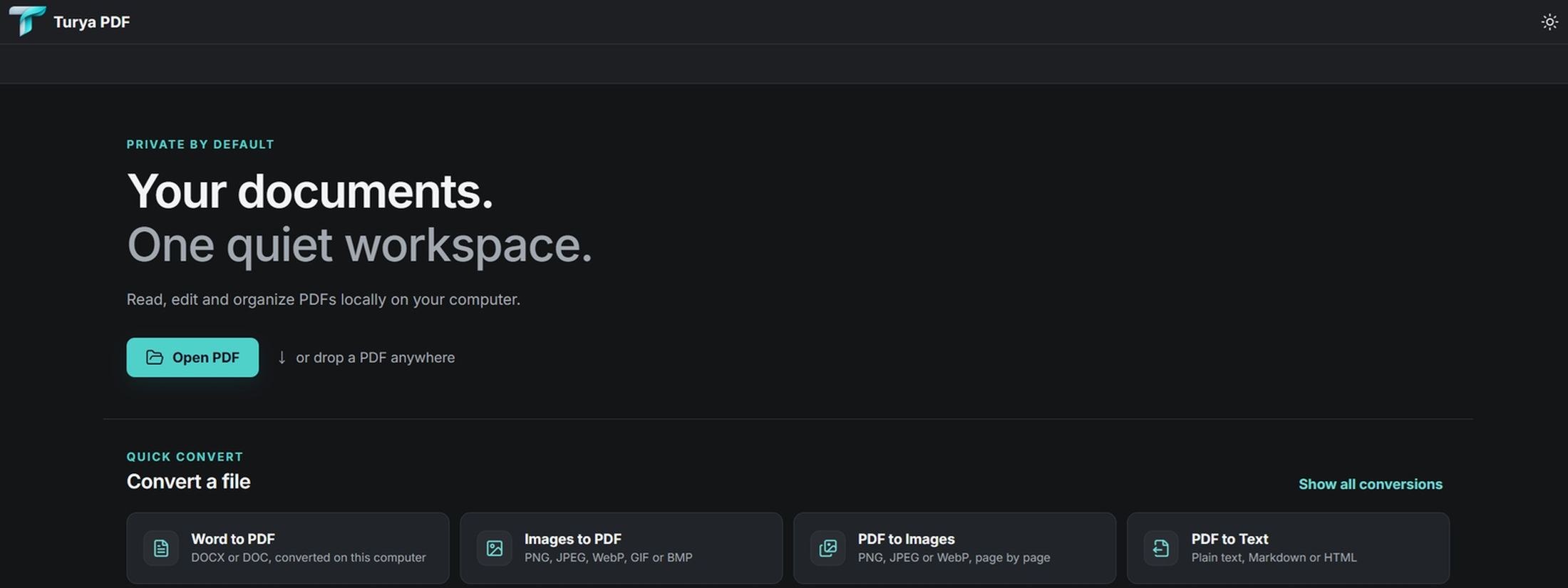
Clarinth provides focused editing and text tools for existing PDF documents, with page organization and annotation kept close to the work.
- Edit
- Organize
- Annotate
Product direction
Begin with what the document needs to become.
The Fourth State asks a more useful question than which tool comes next. Clarinth's design direction starts with the intended result, then brings the relevant actions into context.
This describes approved product direction, not an additional shipping capability claim.
Contextual workspace
Tools should appear with purpose.
The interface direction is calm and document-led. Commands, page controls, and contextual actions are organized to keep attention on the work rather than the software around it.
Intelligence with boundaries
Understanding should reduce work, not remove control.
Clarinth's longer-term direction considers document language, visual structure, and context only where they can make an intended change clearer. Consequential action remains deliberate and visible.
No assistant, summarization, translation, or autonomous workflow capability is claimed for the verified release.
Verified capability
Move documents between useful forms.
Clarinth converts supported Office formats when LibreOffice is installed locally. The capability is presented plainly, with its dependency visible.
Convert
Prepare supported Office documents for PDF workflows.
Organize
Rotate, duplicate, insert, and delete pages.
Annotate
Highlight, underline, draw, and remove markup.
Privacy
Private by architecture.
TURYA does not monitor the work people perform inside Clarinth. Ordinary document workflows do not require TURYA to collect document contents.
Licensing, activation, entitlement checks, and updates may require limited technical communication. Support and feedback send information only when the user initiates them.
